
A Safer Way for Kids to Watch YouTube Videos with KidKam

Ever since Mr. Serious showed the girls Silento’s music video “Watch Me” on YouTube they are fascinated with it. They want to watch all the videos on all the things all the time. Of course, they also enjoy making their own videos, too which seem to have a strong presence on my YouTube channel).
There is some very useful content out there for the girls. Especially when it comes to a math concept that is entirely different than the way I learned it (so, I guess it’s useful for me, too). But, some of the videos that auto play after can be horrific for kids. There is so much on YouTube that isn’t even remotely kid friendly. But, I don’t want that to stop them from getting information there. (Where was YouTube when we were in school!?!?)
There is a much safer way for the kids and educators to stream online videos and we’ve found that with KidKam.

KidKam is different because they make video streaming kid-and-classroom-friendly by employing teachers to hand-pick, screen and categorize videos from all around the web into our 100% kid-safe platform. The videos are watched by real people before being selected as kid-and-classroom-friendly. You can even meet the screeners to read more about them right on the site.
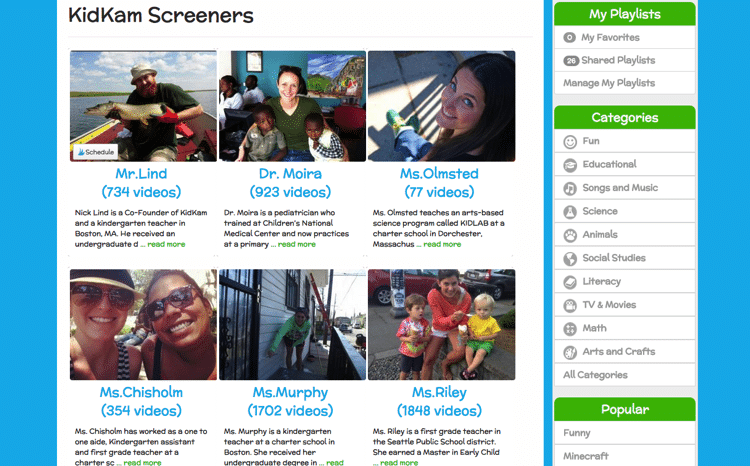
No only can you look at videos by screener, category or popularity, but you can also enter search terms to find videos.

Once you find a video, you can click to watch it. Or you can look at categories, like awesome amphibians and select a video. Other videos will also show right underneath it.
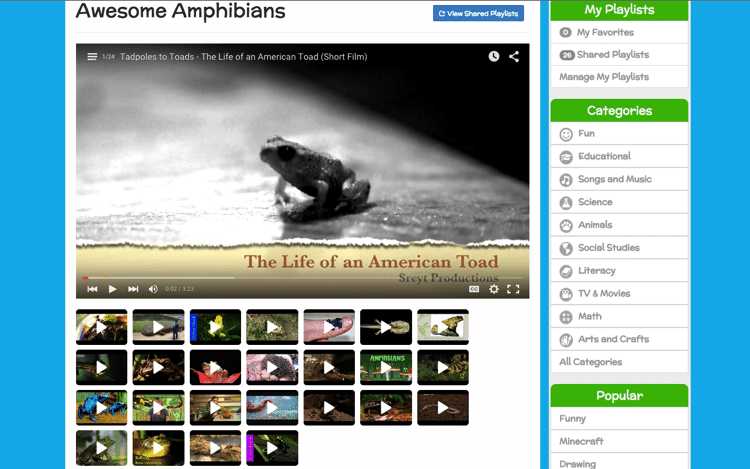
As a parent or educator, or even the kid, you can create a playlist as well for a specific area which is useful if you know you might need to keep coming back to it. There is also a unique “Shared Playlist” feature that allows the screeners to easily put together related videos for subscribers like “First Grade Math- All Stars” and “NYC Field Trips”.
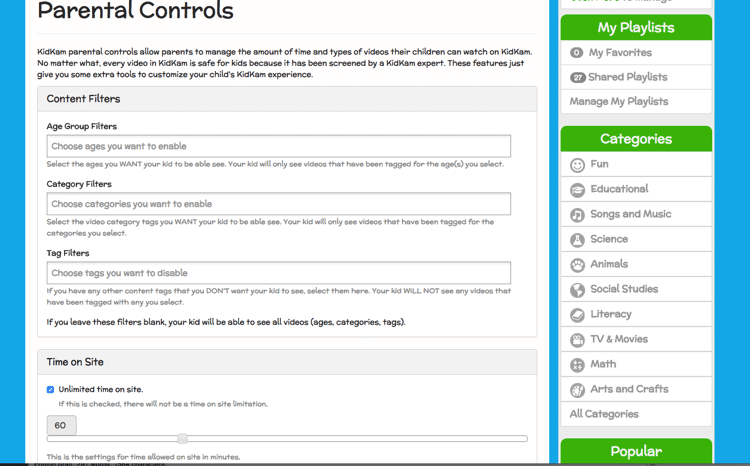
Another great feature is the parental controls. I can filter out ages, categories and tags that I don’t want my girls to see. I haven’t found any, that I wanted to filter out yet, but I could see this as a way to keep them focused. I can also limit their daily time on the site so they don’t go down a video rabbit hole (yes, it happens to them, too!)
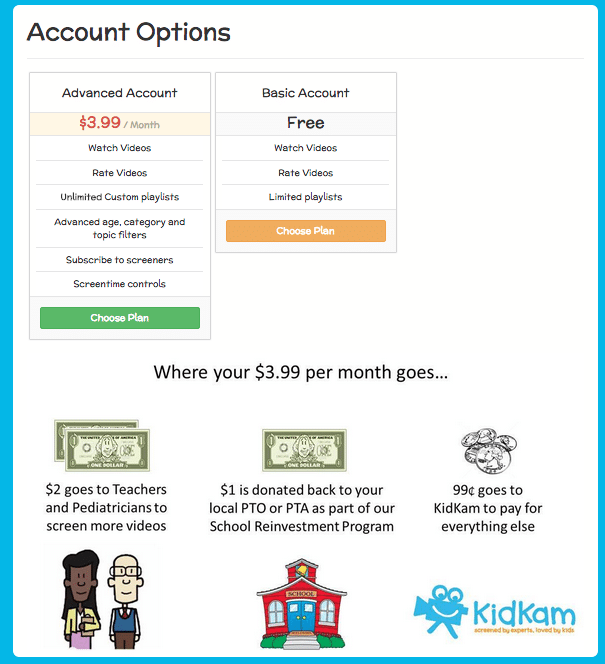
There are two account options, advanced and basic, so you can definitely try out the service for free. With your paid account, KidKam’s School Reinvestment Program gives back 25% of each subscription purchase to a local Parent Teacher Organization. It is KidKam’s hope to get involved with Parent Teacher Organizations to boost our school subscribers and assist PTO’s across the nation with their fundraising efforts (no unhealthy foods or wrapping paper sales required)!
KidKam is a great way for your kids to check out YouTube videos and know that the videos they are watching are safe and educational for them.
Do you think this would work for you and your family or classroom?


I’m about to check it out right now. Youtube has taught my children too many words that I don’t care for them to know!
Wait, there are words they shouldn’t know?
I so need this!! Even spelling a word wrong when searching for something can bring up the craziest things!
Oh that is so true! I remember when there was a White House site that was the furthest thing from the White House ever…thankfully, it’s gone, but same idea!
I can’t wait for them to put out the app. It will go right on the iPad in Red’s folder!
An app would be so good and I can’t wait for that, too!
What an awesome app for every parent whose kids like to watch You Tube videos. I am impressed.
AWESOME. My 4yo loves watching those dumb surprise egg videos. I always feel so… uncomfortable… handing her the phone with youtube pulled up because invariably she gets sidetracked to something else completely. Even the commercials aren’t always kid-friendly (scary shows, etc.)
How cool. I’ve been looking for something like this. My girls know that YouTube is not allowed so this would be a good alternative.